Crypto trading simulator for iPhone and Android
Free Crypto Trading Simulator
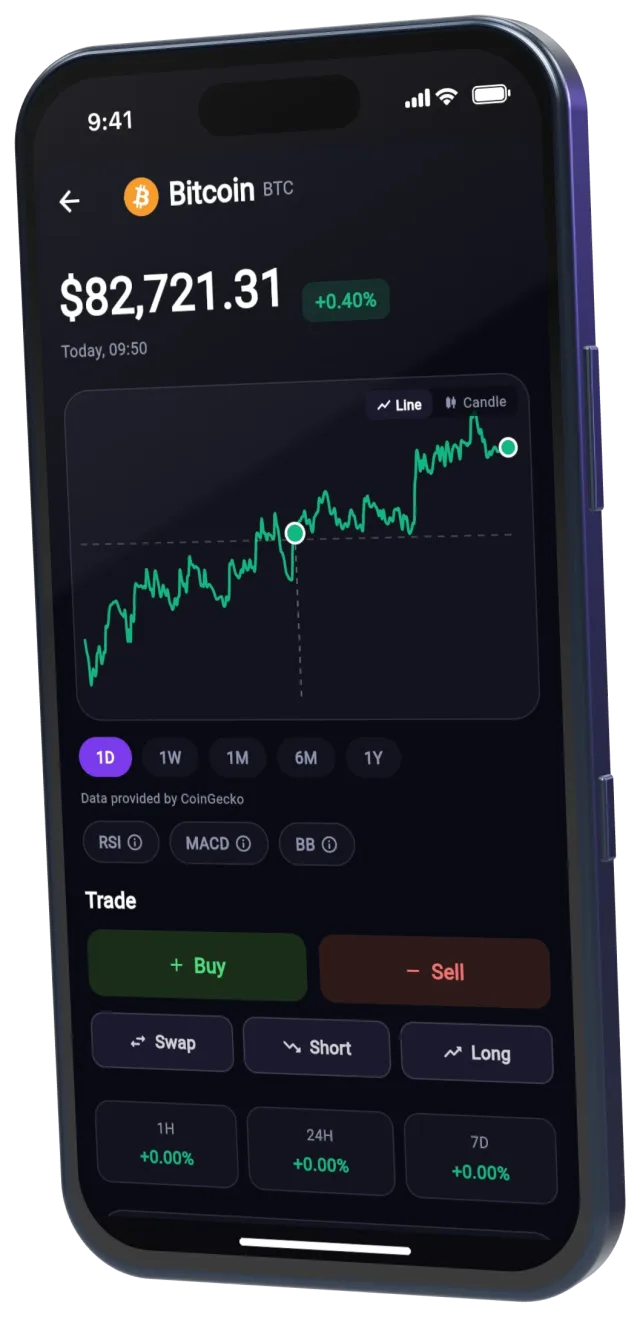
A crypto trading simulator lets you buy and sell real coins at real market prices with demo money, so you learn to trade without risking your own. Staxo is a free crypto trading simulator for iPhone and Android: trade the top 100 coins with $500 in demo money and learn from 42 short courses.


Free to download. You create your account in the app.
What is a crypto trading simulator?
A crypto trading simulator is an app that copies the experience of trading on a crypto exchange, but every trade uses demo money. You see the real price of Bitcoin, Ethereum and other coins, you place orders, and your portfolio gains or loses value as the market moves. Nothing you do touches real money.
People use a simulator to learn the mechanics (orders, charts, profit and loss, position size) and to test an idea before they risk savings on it. It is the same idea as paper trading, with the bookkeeping done for you.
Staxo starts you with $500 in demo money instead of the $100,000 many simulators hand out. $500 is close to what most beginners actually start with, so the position sizes, the losses and the lessons feel like the real thing. A daily bonus adds more demo money when you come back.
Who Staxo is for
Complete beginners
You have never bought crypto and want to understand how a trade works before you open an exchange account. The first free course starts at "What is crypto?".
People about to buy their first coin
Practice the exact trade you plan to make, watch how it moves for a few weeks, and see how a 20% drop feels on a $500 portfolio.
Traders testing a strategy
Try dollar-cost averaging, swing trades or, on Pro, leverage and short selling, and check the result in your P&L before you use real money.
Students and curious learners
Staxo is built for individual learners on their own phone. There is no teacher dashboard, but everyone in a class can download it free and compare results in the same monthly league.
How the simulator works
Download Staxo from the App Store or Google Play and create your account. Your demo wallet starts with $500. From there it takes three steps:
-
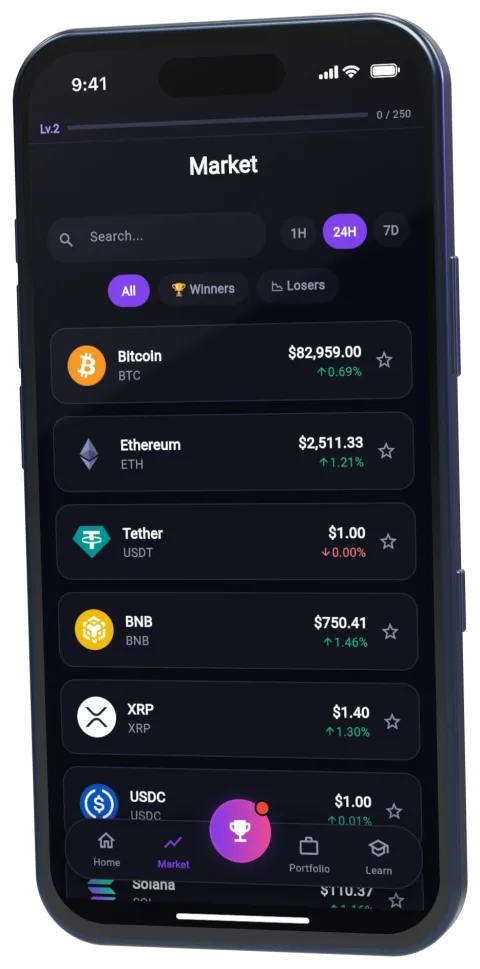
Pick a coin and trade
Browse the top 100 coins with live prices and 1H, 24H and 7D moves. Buy or sell at the current market price. Free accounts trade 10 of the top 100 coins; Pro unlocks all of them.
-
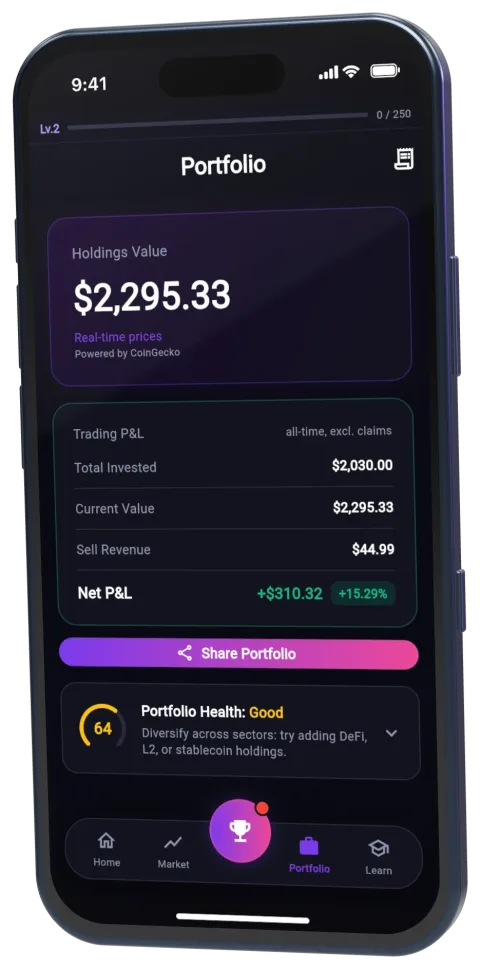
Track your profit and loss
Your portfolio shows what you invested, what it is worth now and your net P&L. Every trade is in your history, so you can see which decisions worked.
-
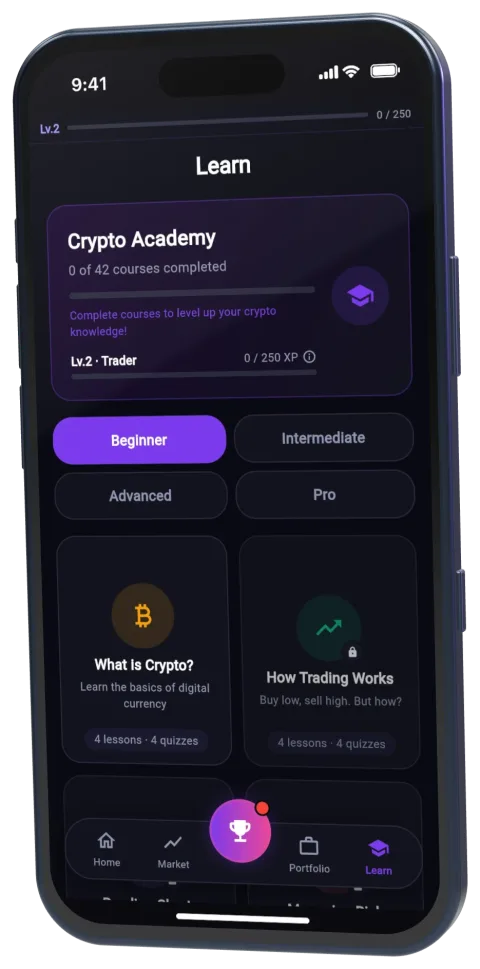
Learn why it moved
42 short courses run from "What is crypto?" to advanced trading across four levels: Beginner, Intermediate, Advanced and Pro. Six are free. Each course is a few short lessons with quizzes.
Every month, all traders compete in a global league ranked by P&L percentage, not by account size. When you close a good trade you can share it as an Instagram Story card with your invite code, and inviting 3 traders gives you 14 days of Pro.
What you get free and with Pro
The free plan is enough to learn the basics of buying, selling and tracking a portfolio. Pro is for when you want every coin, every course and the tools active traders use.
| Feature | Free | Pro |
|---|---|---|
| Demo money | $500 to start, plus a daily bonus | $500 to start, plus a daily bonus |
| Coins you can trade | 10 of the top 100 | All top 100 |
| Order types | Market orders, up to 10 trades a day | Market orders, leverage and short selling |
| Charts and indicators | Live price charts | Plus candlestick charts, MACD and Bollinger Bands |
| Courses | 6 courses | All 42 courses |
| Monthly global league | Included | Included |
| Price | $0 | $1.99 for the first month, then $8.99 a month or $59.99 a year |
Practice a single coin
Each of the eight free-plan coins that are not stablecoins has its own page with the last 12 months of real prices, a $500 test of buying once against buying every week, and the steps to practice it in Staxo.
- Bitcoin trading simulator
- Ethereum trading simulator
- BNB trading simulator
- Solana trading simulator
- XRP trading simulator
- Cardano trading simulator
- Dogecoin trading simulator
- TRON trading simulator
Or compare all eight side by side on the coins page.
Staxo vs other crypto simulators
Most crypto simulators fall into two groups: practice modes inside a real exchange or broker, and standalone simulators. The biggest practical difference for a beginner is the starting balance and whether the tool sits next to real-money trading. Facts below come from each provider's own pages.
| Simulator | Starting demo money | Where it runs | Built for |
|---|---|---|---|
| Staxo | $500, plus a daily bonus | iPhone and Android apps | Learning crypto trading: simulator, 42 courses and a monthly league, no real-money side |
| Wall Street Survivor | $100,000 | Web, desktop or mobile | Practice portfolios and monthly contests, crypto alongside stocks and ETFs |
| eToro virtual portfolio | $100,000 | Web, iPhone and Android | Practice inside a real-money broker covering stocks, crypto, commodities and ETFs |
| Bybit Demo Trading | 50,000 USDT, 50,000 USDC, 1 BTC and 1 ETH | Bybit web and app (Bybit account needed) | Practicing on the Bybit exchange before trading there |
| TradingView Paper Trading | Not stated in TradingView's help pages | Inside TradingView | Chart-first traders; stocks, forex, crypto and futures |
| Crypto Parrot | "Play USD" (amount not stated) | Website, mobile friendly | A social crypto simulator with a leaderboard and a verified-trader badge |
| Bitsgap Demo | $100,000 in virtual funds | Bitsgap web and app (free Bitsgap account) | Practicing manual orders and GRID, DCA and COMBO trading bots on real-time prices from 17 exchanges |
Sources: Wall Street Survivor, eToro demo account, Bybit Demo Trading FAQ, TradingView paper trading, Crypto Parrot FAQ, Bitsgap demo trading.
If you want a big balance and a full exchange interface, an exchange demo account is a good fit. If you want to learn with a balance close to what you would really invest, with courses next to the trades and no real-money account attached, Staxo is built for that. For a longer side-by-side, read the best crypto trading simulators compared.
What a simulator cannot teach you
A simulator is honest practice, not a guarantee. Three things only show up with real money:
- Emotion. Losing demo money stings a little. Losing your own money changes how you decide. Expect to trade worse at first when the money is real.
- Costs. Real exchanges charge trading fees and sometimes fill your order at a worse price than the one on screen. Read crypto trading fees explained before your first real trade.
- Size. A strategy that works on $500 can behave differently with more money at stake. Use the position size calculator to keep each trade small.
Use the simulator to build habits: a plan before every trade, a stop loss, and a review of what went wrong. Then move to real money in small steps.
Crypto trading simulator FAQ
Is the Staxo crypto trading simulator free?
The Staxo crypto trading simulator is free to download and use. The free plan includes $500 in demo money, 10 of the top 100 coins, market orders, up to 10 trades a day and 6 courses. Staxo Pro costs $1.99 for the first month, then $8.99 a month or $59.99 a year, and adds all top 100 coins, all 42 courses, leverage, short selling, MACD, Bollinger Bands and candlestick charts.
Can you lose real money in a crypto trading simulator?
You cannot lose real money in Staxo. The $500 is demo money: it is not real, it cannot be withdrawn, and the app never connects to a bank account, card or crypto wallet for trading. You can lose demo money on a bad trade, which is how a simulator teaches you what a loss feels like without paying for it.
Are the prices in Staxo real?
Staxo uses real market prices for the top 100 cryptocurrencies. When you buy Bitcoin in the simulator, you pay the current market price of Bitcoin in demo money, and your profit or loss follows the real market from that moment.
Do you need an account to use Staxo?
Staxo needs a free account, which you create in the app after downloading it from the App Store or Google Play. The account keeps your demo portfolio, course progress and league ranking.
Which phones does Staxo work on?
Staxo is available for iPhone on the App Store and for Android phones on Google Play.
Is a crypto trading simulator good for beginners?
A crypto trading simulator is one of the safest ways for a beginner to learn how buying, selling, charts and position sizing work, because mistakes cost demo money instead of savings. It does not reproduce the pressure of trading with your own money, so treat it as practice, not proof that a strategy will make money.
How long should you use a crypto simulator before trading real money?
There is no fixed rule. A sensible approach is to practice until you can follow a written trading plan for several weeks, including through losing trades, and then start with a small amount of real money you can afford to lose. The guide paper trading vs real trading covers the switch in detail.
What is the difference between a crypto simulator and an exchange demo account?
An exchange demo account is a practice mode inside a platform that also handles real money. Staxo is only a simulator: there is no deposit, no withdrawal and no way to trade real crypto in the app, and it adds courses and a monthly league built around learning.
Does Staxo have a trading competition?
Staxo runs a monthly global league that ranks traders by P&L percentage, so a small account can beat a large one. You can also share closed trades as Instagram Story cards with your invite code, and inviting 3 traders gives you 14 days of Pro.
Is Staxo the Crypto Trading Simulator game on Steam?
No. Crypto Trading Simulator on Steam is a PC game by SUMER, in early access since August 11, 2026, in which prices move with the game's own simulated market events. Staxo is a free app for iPhone and Android that uses real market prices for the top 100 coins and teaches with 42 short courses.
Guides and free tools
Practice works best with a bit of theory next to it. These are the guides and calculators most people open next.
Guides
- Paper trading vs real trading: is it the same?
- How to start crypto trading, step by step
- How to practice trading with fake money
- Best crypto trading simulators compared
- Crypto risk management for beginners
- MACD, RSI and Bollinger Bands explained
- What leverage means in crypto trading
- All 42 Staxo courses
Free calculators
Make your first demo trade today